'%3e%3cpath%20d='M845.116%20678.443L1203.61%20262H1118.66L807.377%20623.592L558.756%20262H272L647.965%20808.79L272%201245.49H356.957L685.682%20863.642L948.244%201245.49H1235L845.095%20678.443H845.116ZM728.755%20813.608L690.662%20759.16L387.569%20325.911H518.059L762.658%20675.557L800.751%20730.005L1118.7%201184.49H988.212L728.755%20813.629V813.608Z'%20fill='white'/%3e%3c/g%3e%3cdefs%3e%3cclipPath%20id='clip0_2009_60'%3e%3crect%20width='963'%20height='984'%20fill='white'%20transform='translate(272%20262)'/%3e%3c/clipPath%3e%3c/defs%3e%3c/svg%3e)
X (Twitter) post scheduler with threads that publish in order
Schedule posts to X and publish full threads in order, from the same composer you use for every other platform — which checks X’s own posting rules as you type, so a post doesn’t fail when its time comes.
See it the way X will
The composer previews every destination as that platform renders it — media cropped the way it will crop, the caption truncated where it will truncate. What you see here is the composer’s own preview component, not a mock-up of one.

uploading the same video to every app by hand is not a content strategy, it is data entry. one upload, every feed, a different caption wherever you want one. ravenpo.st
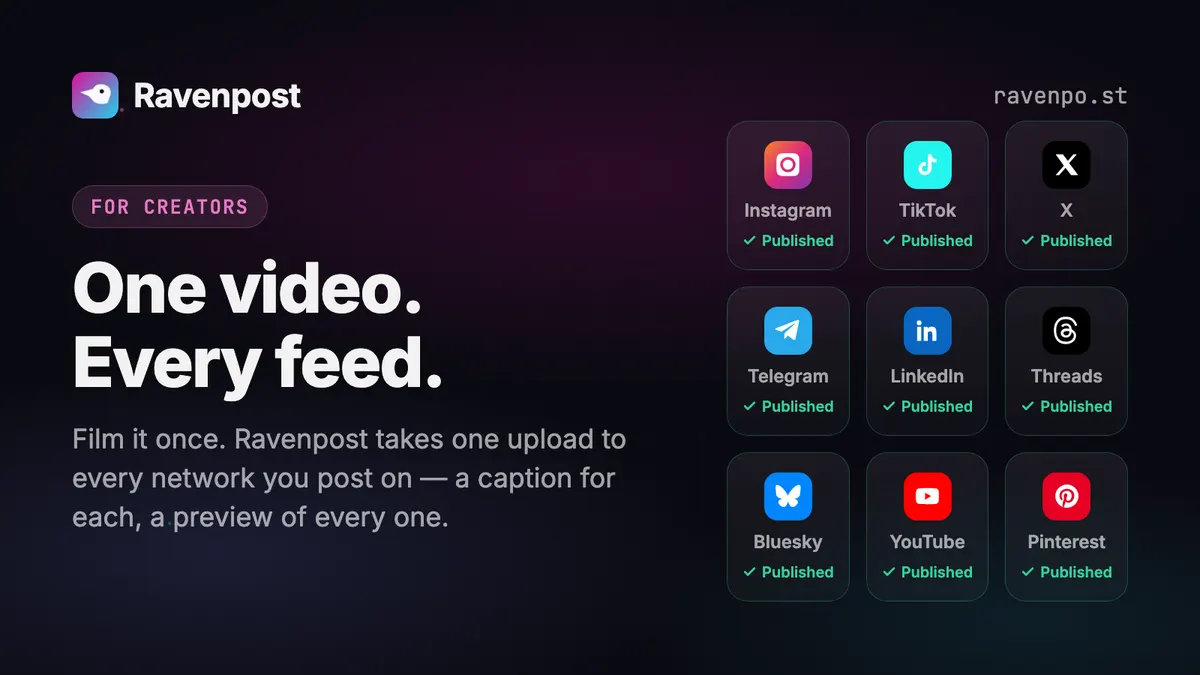
One of our own posts, in X’s preview.
Scheduling X, specifically
Threads that publish in order
Add up to 25 follow-up posts. Each one publishes as a reply to the last, so the chain lands intact. If a middle post fails we record the error rather than retrying the job, because a retry would publish the head tweet twice.
X’s rules, checked before you post
X refuses a post from an app that carries more than one $cashtag, a reply or quote aimed at a post that never mentioned you, and a thread reply that @mentions somebody new. The composer flags each one as you type, and the API refuses it before anything is scheduled.
Alt text goes with the image
Alt text is written once on the media file in your library and sent to X with every post that uses it. If X rejects the alt-text call the post still goes out.
What X allows
Straight from the app’s platform registry — the same limits the composer enforces.
- Caption limit
- 280 characters
- Images per post
- 4
- Videos per post
- 1
- Text-only posts
- Yes
- Threads
- Up to 25 follow-ups
- Analytics
- Not available
- Delete from Ravenpost
- Yes
Worth knowing first
X’s 280 characters is the tightest budget of any platform we support, so a mixed selection is limited by X unless you give it its own caption. Through its API, X lets an app reply to or quote only your own posts or posts that @mention you, so answering somebody else’s tweet happens in X itself; and one post goes to one X account, since X forbids the same text on several. X also charges for every read — so Ravenpost reads no X analytics: the Analytics page links to X’s own instead.
Media guidance
Up to 4 images or 1 video. Posts are capped at 280 characters.
 Instagram
 TikTok
'/%3e%3cpath%20d='M81.229,128.772l14.237,39.406s1.78,3.687,3.686,3.687,30.255-29.492,30.255-29.492l31.525-60.89L81.737,118.6Z'%20fill='%23c8daea'/%3e%3cpath%20d='M100.106,138.878l-2.733,29.046s-1.144,8.9,7.754,0,17.415-15.763,17.415-15.763'%20fill='%23a9c6d8'/%3e%3cpath%20d='M81.486,130.178,52.2,120.636s-3.5-1.42-2.373-4.64c.232-.664.7-1.229,2.1-2.2,6.489-4.523,120.106-45.36,120.106-45.36s3.208-1.081,5.1-.362a2.766,2.766,0,0,1,1.885,2.055,9.357,9.357,0,0,1,.254,2.585c-.009.752-.1,1.449-.169,2.542-.692,11.165-21.4,94.493-21.4,94.493s-1.239,4.876-5.678,5.043A8.13,8.13,0,0,1,146.1,172.5c-8.711-7.493-38.819-27.727-45.472-32.177a1.27,1.27,0,0,1-.546-.9c-.093-.469.417-1.05.417-1.05s52.426-46.6,53.821-51.492c.108-.379-.3-.566-.848-.4-3.482,1.281-63.844,39.4-70.506,43.607A3.21,3.21,0,0,1,81.486,130.178Z'%20fill='%23fff'/%3e%3c/svg%3e) Telegram
Telegram LinkedIn
 Threads
 Bluesky
 YouTube
 Pinterest
Starts free. Scales to an agency.
Free for your first account, $14/mo as a solo creator, $49/mo for 50 accounts and unlimited seats. Every feature on every plan; bigger plans add capacity and the larger AI models. Cancel anytime.
Free
Run your main account on it, for as long as you like.
Free forever
- 1 social account
- 10 posts / month
- Every platform we support
- Calendar, posting queue & media library
- Analytics for Instagram, Bluesky & Pinterest
- Built-in AI agent with brand memory, images & videos
- MCP server for Claude & other AI assistants
- AI: Claude Haiku & GPT-6 Luna
- 50 AI credits / month
- 1 seat
- Email campaigns: try them with test sends
1 seat
Starter
3-day free trialFor solo creators getting consistent.
vs Postiz $29/mo
- 5 social accounts
- Unlimited posts (X: 200 credits / month)
- Everything in Free
- AI: up to Claude Sonnet & GPT-6 Sol
- 500 AI credits / month
- 1 seat
- Email campaigns: 1,000 emails / month
Free for 3 days, then $14/mo.
Growth
For influencers and small teams running several accounts.
vs Postiz $49/mo
- 15 social accounts
- Unlimited posts (X: 350 credits / month)
- Everything in Starter
- Email support
- AI: up to Claude Opus & GPT-6 Sol
- 1,000 AI credits / month
- 3 team seats
- Email campaigns: 2,500 emails / month
3 seats
Max
For agencies and social media managers running client accounts.
vs Postiz $99/mo
- 50 social accounts
- Unlimited posts (X: 700 credits / month)
- Everything in Growth
- Priority support
- AI: up to Claude Fable & GPT-6 Astra
- 2,500 AI credits / month
- Unlimited team seats
- Email campaigns: 5,000 emails / month
Unlimited seats
X scheduling questions
Can I schedule a whole X thread in advance?
Yes — write the head post and up to 25 follow-ups, and the whole chain publishes in order at the scheduled time. The API rejects an over-long thread rather than truncating it, so you never get a thread cut mid-thought.
Can I delete a scheduled post from X after it goes out?
Yes. X is one of the platforms whose API can take a published post down, so the delete dialog offers to remove it from X as well as from Ravenpost. A thread deletes tail-to-head, so a partial failure leaves a shorter valid thread rather than orphaned replies.
Does the 280-character limit apply to everything?
It applies to X. Write one caption for everything and give X its own shorter version — the composer shows which platform is setting the limit.
Schedule your first X post today
One connected account and ten posts a month, free forever. No card.
Start free