'/%3e%3cpath%20d='M81.229,128.772l14.237,39.406s1.78,3.687,3.686,3.687,30.255-29.492,30.255-29.492l31.525-60.89L81.737,118.6Z'%20fill='%23c8daea'/%3e%3cpath%20d='M100.106,138.878l-2.733,29.046s-1.144,8.9,7.754,0,17.415-15.763,17.415-15.763'%20fill='%23a9c6d8'/%3e%3cpath%20d='M81.486,130.178,52.2,120.636s-3.5-1.42-2.373-4.64c.232-.664.7-1.229,2.1-2.2,6.489-4.523,120.106-45.36,120.106-45.36s3.208-1.081,5.1-.362a2.766,2.766,0,0,1,1.885,2.055,9.357,9.357,0,0,1,.254,2.585c-.009.752-.1,1.449-.169,2.542-.692,11.165-21.4,94.493-21.4,94.493s-1.239,4.876-5.678,5.043A8.13,8.13,0,0,1,146.1,172.5c-8.711-7.493-38.819-27.727-45.472-32.177a1.27,1.27,0,0,1-.546-.9c-.093-.469.417-1.05.417-1.05s52.426-46.6,53.821-51.492c.108-.379-.3-.566-.848-.4-3.482,1.281-63.844,39.4-70.506,43.607A3.21,3.21,0,0,1,81.486,130.178Z'%20fill='%23fff'/%3e%3c/svg%3e)
Telegram channel scheduler for posts, media and albums
Schedule posts to your Telegram channels and publish them as the channel itself. Connect by adding our bot to the channel as an admin — no OAuth app, no review, no API keys to manage.
See it the way Telegram will
The composer previews every destination as that platform renders it — media cropped the way it will crop, the caption truncated where it will truncate. What you see here is the composer’s own preview component, not a mock-up of one.

Ravenpost
channel
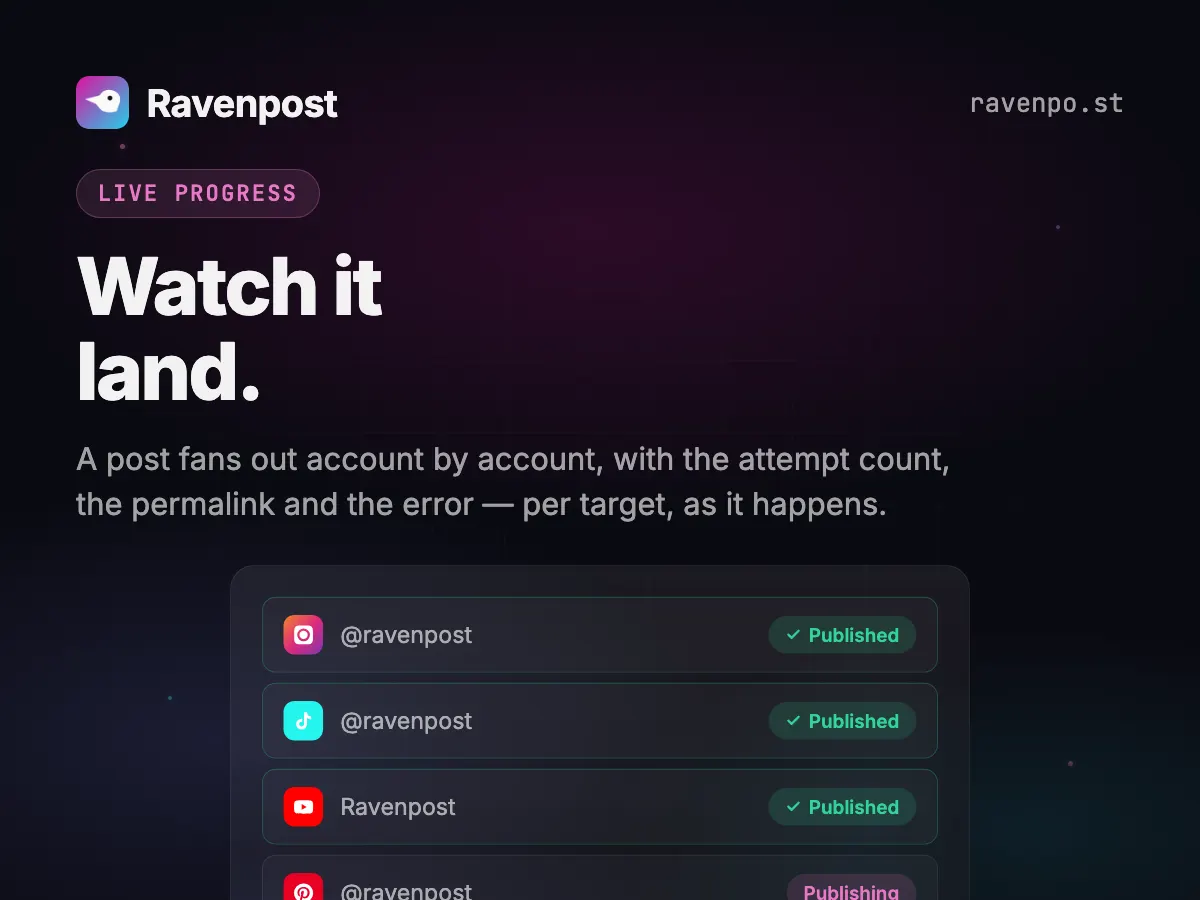
A post fans out account by account, and you watch it land — attempt count, permalink and error, per target, as it happens. No refreshing, no guessing which one failed. ravenpo.st
One of our own posts, in Telegram’s preview.
Scheduling Telegram, specifically
Posts appear as the channel
The bot never shows up as the author. Subscribers see a normal channel post.
Markdown that actually renders
Bold, italic, links, inline code and strikethrough are converted to Telegram’s own formatting. Everything else is escaped, so a plain caption publishes exactly as typed and underscores in URLs stay literal.
The longest caption budget here
4,096 characters — second only to Facebook. Media captions are capped at 1,024 by Telegram, so we split longer ones automatically and measure the visible length, not the markup.
What Telegram allows
Straight from the app’s platform registry — the same limits the composer enforces.
- Caption limit
- 4,096 characters
- Images per post
- 10
- Videos per post
- 10
- Text-only posts
- Yes
- Threads
- Up to 25 follow-ups
- Analytics
- Not available
- Delete from Ravenpost
- Yes
Worth knowing first
The Telegram Bot API exposes no channel-post insights, so there are no Telegram analytics to show — not a gap in Ravenpost, there is simply no endpoint. Deleting a published post also only works inside Telegram’s 48-hour window for bots.
Media guidance
Text, a photo/video, or an album of up to 10. Captions over 1024 characters post as a follow-up message.
 Instagram
 TikTok
'%3e%3cpath%20d='M845.116%20678.443L1203.61%20262H1118.66L807.377%20623.592L558.756%20262H272L647.965%20808.79L272%201245.49H356.957L685.682%20863.642L948.244%201245.49H1235L845.095%20678.443H845.116ZM728.755%20813.608L690.662%20759.16L387.569%20325.911H518.059L762.658%20675.557L800.751%20730.005L1118.7%201184.49H988.212L728.755%20813.629V813.608Z'%20fill='white'/%3e%3c/g%3e%3cdefs%3e%3cclipPath%20id='clip0_2009_60'%3e%3crect%20width='963'%20height='984'%20fill='white'%20transform='translate(272%20262)'/%3e%3c/clipPath%3e%3c/defs%3e%3c/svg%3e) X
X LinkedIn
 Threads
 Bluesky
 YouTube
 Pinterest
Starts free. Scales to an agency.
Free for your first account, $14/mo as a solo creator, $49/mo for 50 accounts and unlimited seats. Every feature on every plan; bigger plans add capacity and the larger AI models. Cancel anytime.
Free
Run your main account on it, for as long as you like.
Free forever
- 1 social account
- 10 posts / month
- Every platform we support
- Calendar, posting queue & media library
- Analytics for Instagram, Bluesky & Pinterest
- Built-in AI agent with brand memory, images & videos
- MCP server for Claude & other AI assistants
- AI: Claude Haiku & GPT-6 Luna
- 50 AI credits / month
- 1 seat
- Email campaigns: try them with test sends
1 seat
Starter
3-day free trialFor solo creators getting consistent.
vs Postiz $29/mo
- 5 social accounts
- Unlimited posts (X: 200 credits / month)
- Everything in Free
- AI: up to Claude Sonnet & GPT-6 Sol
- 500 AI credits / month
- 1 seat
- Email campaigns: 1,000 emails / month
Free for 3 days, then $14/mo.
Growth
For influencers and small teams running several accounts.
vs Postiz $49/mo
- 15 social accounts
- Unlimited posts (X: 350 credits / month)
- Everything in Starter
- Email support
- AI: up to Claude Opus & GPT-6 Sol
- 1,000 AI credits / month
- 3 team seats
- Email campaigns: 2,500 emails / month
3 seats
Max
For agencies and social media managers running client accounts.
vs Postiz $99/mo
- 50 social accounts
- Unlimited posts (X: 700 credits / month)
- Everything in Growth
- Priority support
- AI: up to Claude Fable & GPT-6 Astra
- 2,500 AI credits / month
- Unlimited team seats
- Email campaigns: 5,000 emails / month
Unlimited seats
Telegram scheduling questions
How do I connect a Telegram channel?
Link your Telegram account on the accounts page, then add our bot to the channel as an admin. The channel appears in your workspace only — a bot shared across customers never exposes one workspace’s channels to another.
Can I use formatting in Telegram posts?
Yes — a markdown subset (links, bold, italic, code, strikethrough) is converted to Telegram HTML. Because other platforms publish captions as plain text, markdown belongs in a Telegram-only post or a Telegram caption override.
Do I need my own Telegram bot?
No. Ravenpost runs one central bot; you just add it to your channel as an admin.
Schedule your first Telegram post today
One connected account and ten posts a month, free forever. No card.
Start free