
LinkedIn post scheduler for text, images and video
Schedule LinkedIn posts with images, a video, or nothing but text, and publish them automatically to your member profile.
See it the way LinkedIn will
The composer previews every destination as that platform renders it — media cropped the way it will crop, the caption truncated where it will truncate. What you see here is the composer’s own preview component, not a mock-up of one.

Ravenpost
Your headline
now ·
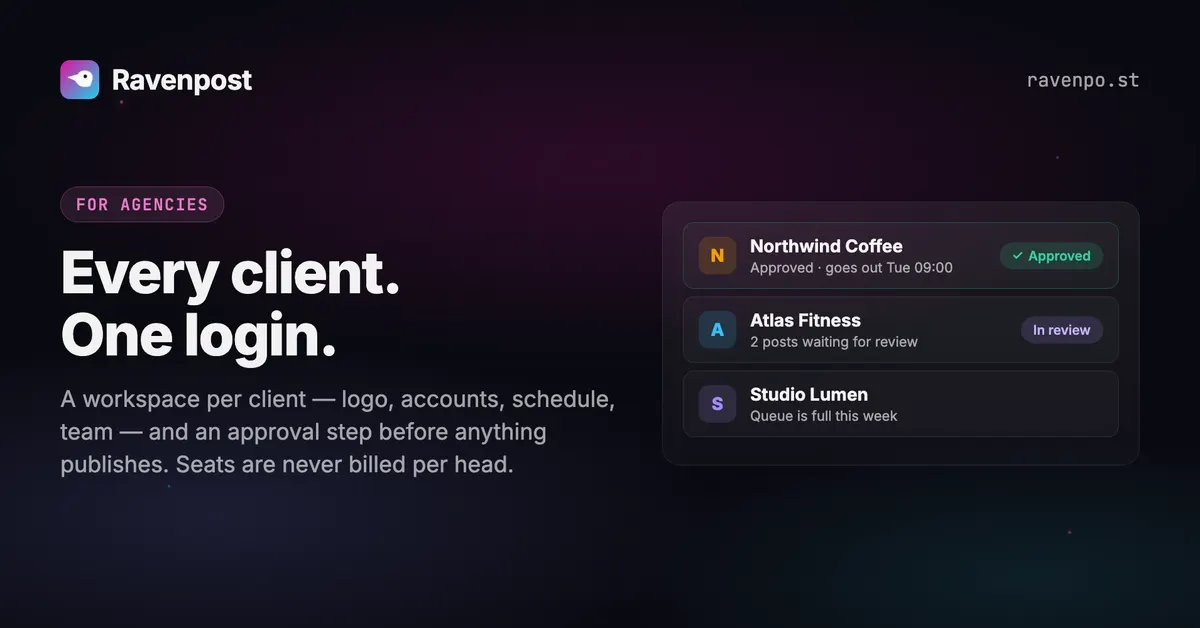
Most scheduling tools bill an agency by the seat or by the channel, so every new hire and every new client reopens the pricing conversation. Ravenpost gives each client a workspace of its own — logo, accounts,…
One of our own posts, in LinkedIn’s preview.
Scheduling LinkedIn, specifically
Up to 20 images, or one video
Two or more images publish as a native multi-image post; a single image publishes as a normal one. Video is uploaded in parts and reassembled in order — an out-of-order upload yields a corrupt asset rather than an error, so we replay the parts exactly.
Captions escaped correctly
LinkedIn’s post format reserves characters like parentheses, brackets and asterisks even in ordinary prose. An unescaped “(finally!)” corrupts the post, so we escape them at publish time and you write normally.
Alt text and a 3,000-character budget
Room for a real post, and image descriptions carried from your media library.
What LinkedIn allows
Straight from the app’s platform registry — the same limits the composer enforces.
- Caption limit
- 3,000 characters
- Images per post
- 20
- Videos per post
- 1
- Text-only posts
- Yes
- Threads
- No
- Analytics
- Not available
- Delete from Ravenpost
- Yes
Worth knowing first
LinkedIn is the only platform here you must reconnect roughly every two months: refresh tokens are issued only to approved Marketing Developer Platform partners, so nothing can renew the token automatically. Ravenpost warns you two weeks ahead and shows a Reconnect button. Company Pages and post analytics both sit behind the same approval gate and are out of scope.
Media guidance
Text, up to 20 images, or a single video (MP4, 3s-30min). A bare link does NOT unfurl into a card. Around 210 characters show before "…see more" in the feed.
 Instagram
 TikTok
'%3e%3cpath%20d='M845.116%20678.443L1203.61%20262H1118.66L807.377%20623.592L558.756%20262H272L647.965%20808.79L272%201245.49H356.957L685.682%20863.642L948.244%201245.49H1235L845.095%20678.443H845.116ZM728.755%20813.608L690.662%20759.16L387.569%20325.911H518.059L762.658%20675.557L800.751%20730.005L1118.7%201184.49H988.212L728.755%20813.629V813.608Z'%20fill='white'/%3e%3c/g%3e%3cdefs%3e%3cclipPath%20id='clip0_2009_60'%3e%3crect%20width='963'%20height='984'%20fill='white'%20transform='translate(272%20262)'/%3e%3c/clipPath%3e%3c/defs%3e%3c/svg%3e) X
X'/%3e%3cpath%20d='M81.229,128.772l14.237,39.406s1.78,3.687,3.686,3.687,30.255-29.492,30.255-29.492l31.525-60.89L81.737,118.6Z'%20fill='%23c8daea'/%3e%3cpath%20d='M100.106,138.878l-2.733,29.046s-1.144,8.9,7.754,0,17.415-15.763,17.415-15.763'%20fill='%23a9c6d8'/%3e%3cpath%20d='M81.486,130.178,52.2,120.636s-3.5-1.42-2.373-4.64c.232-.664.7-1.229,2.1-2.2,6.489-4.523,120.106-45.36,120.106-45.36s3.208-1.081,5.1-.362a2.766,2.766,0,0,1,1.885,2.055,9.357,9.357,0,0,1,.254,2.585c-.009.752-.1,1.449-.169,2.542-.692,11.165-21.4,94.493-21.4,94.493s-1.239,4.876-5.678,5.043A8.13,8.13,0,0,1,146.1,172.5c-8.711-7.493-38.819-27.727-45.472-32.177a1.27,1.27,0,0,1-.546-.9c-.093-.469.417-1.05.417-1.05s52.426-46.6,53.821-51.492c.108-.379-.3-.566-.848-.4-3.482,1.281-63.844,39.4-70.506,43.607A3.21,3.21,0,0,1,81.486,130.178Z'%20fill='%23fff'/%3e%3c/svg%3e) Telegram
Telegram Threads
 Bluesky
 YouTube
 Pinterest
Starts free. Scales to an agency.
Free for your first account, $14/mo as a solo creator, $49/mo for 50 accounts and unlimited seats. Every feature on every plan; bigger plans add capacity and the larger AI models. Cancel anytime.
Free
Run your main account on it, for as long as you like.
Free forever
- 1 social account
- 10 posts / month
- Every platform we support
- Calendar, posting queue & media library
- Analytics for Instagram, Bluesky & Pinterest
- Built-in AI agent with brand memory, images & videos
- MCP server for Claude & other AI assistants
- AI: Claude Haiku & GPT-6 Luna
- 50 AI credits / month
- 1 seat
- Email campaigns: try them with test sends
1 seat
Starter
3-day free trialFor solo creators getting consistent.
vs Postiz $29/mo
- 5 social accounts
- Unlimited posts (X: 200 credits / month)
- Everything in Free
- AI: up to Claude Sonnet & GPT-6 Sol
- 500 AI credits / month
- 1 seat
- Email campaigns: 1,000 emails / month
Free for 3 days, then $14/mo.
Growth
For influencers and small teams running several accounts.
vs Postiz $49/mo
- 15 social accounts
- Unlimited posts (X: 350 credits / month)
- Everything in Starter
- Email support
- AI: up to Claude Opus & GPT-6 Sol
- 1,000 AI credits / month
- 3 team seats
- Email campaigns: 2,500 emails / month
3 seats
Max
For agencies and social media managers running client accounts.
vs Postiz $99/mo
- 50 social accounts
- Unlimited posts (X: 700 credits / month)
- Everything in Growth
- Priority support
- AI: up to Claude Fable & GPT-6 Astra
- 2,500 AI credits / month
- Unlimited team seats
- Email campaigns: 5,000 emails / month
Unlimited seats
LinkedIn scheduling questions
Why do I have to reconnect LinkedIn every 60 days?
LinkedIn only issues refresh tokens to approved Marketing Developer Platform partners, so no self-serve integration can renew a token on its own. We warn you 14 days before it lapses rather than letting a post fail silently.
Can I post to a LinkedIn Company Page?
Not yet. Company Page posting requires LinkedIn’s approval-gated Community Management API. Ravenpost publishes to member profiles.
Does a link in my post get a preview card?
A bare URL doesn’t unfurl into a card through the API. Attach an image if you want the post to carry a visual.
Schedule your first LinkedIn post today
One connected account and ten posts a month, free forever. No card.
Start free